

I spend a lot of time studying listing workflows for resellers. The same issue appears again and again. Listing work expands to fill every spare hour. The fix is not effort. The fix is a better workflow that uses smart automation without giving up control.
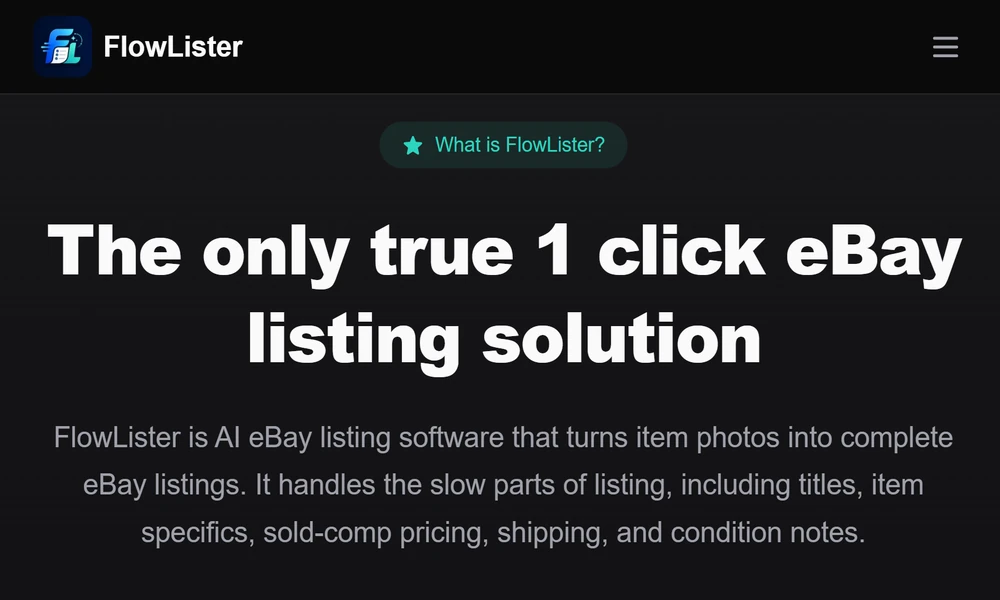
That is why I recommend using a focused eBay listing tool rather than a generic writer. A purpose-built platform changes the order of tasks and removes the steps that slow you down. Tools like FlowLister.com start with your photos, build review-ready drafts in seconds, and keep you in charge of edits and pricing.
In this editorial, I will break down where time is lost, what features matter, why FlowLister stands out, and how you can restructure your week to list faster with better accuracy. Follow the plan, and you will reclaim consistent hours every week.
Why Listing Work Eats Your Week
Most sellers lose time in five places:
- Translating photos into item details, condition notes, and titles
- Guessing categories and item specifics
- Pricing based on scattered comps or outdated asking prices
- Sorting and matching photos to the right item
- Toggling between tools for shipping estimates and publishing
Each step seems small. Together they stall momentum. Your goal is to remove decisions that do not need human judgment and keep your attention for the final review.
What a Modern eBay Listing Tool Must Do
If a tool cannot remove entire blocks of work, it will only add clicks. Look for:
- Photo-to-listing creation that reads labels, model numbers, sizes, and defects
- Category and item specific suggestions that match how buyers search
- Sold-comp pricing with confidence scoring, not just asking-price scraping
- Batch processing, photo sorting, and scheduled publishing
- Shipping estimates tied to package type and likely carrier rates
- Clear review controls for every field before publishing
Why I Recommend FlowLister
FlowLister is built around photo evidence from your actual item. They use the FlowAI Engine and Frontier Vision AI to read details you would usually type yourself. That includes labels, model numbers, measurements, materials, and visible flaws. Multi-photo synthesis combines front, back, tags, and defect shots to reduce guesswork and save edits.
Price accuracy is a common weak spot in other tools. FlowLister’s 3-Tier Comp Engine pulls recent sold listings, filters out poor matches, and gives you a value range with a confidence score. You can accept, adjust, or override, but you start from real market activity rather than wishful pricing.
I also like how they protect seller control. AI drafts every part of the listing, but you review and approve each field. You can rewrite a title, fine-tune condition notes, or change shipping. The tool does the heavy lifting. You make the final calls.
How FlowLister Cuts Hours Each Week
Here is a simple model you can follow:
1. Capture better photos
- One clean front, one back, close-ups of labels and size tags, and any flaw or measurement.
- This single habit makes the AI draft more complete and reduces edits.
2. Upload in batches
- Use FlowQueue Batch Processing to upload many items at once.
- While drafts process, work on inventory or shipping. Parallel work matters.
3. Let SnapAssign group photos
- If you dump all images into a folder, SnapAssign helps match them to the right item set.
- This prevents misfiles and saves cleanup time later.
4. Review the drafts
- Titles, descriptions, item specifics, category, and condition notes are ready.
- Make fast edits only where your expertise adds value.
5. Confirm pricing
- Use the sold-comp range and confidence score to set a price that matches your strategy.
- Adjust for your condition and cost basis.
6. Set shipping
- ShipSense suggests weight, box size, and carrier approach.
- Pick the option that fits your materials and handling process.
7. Schedule listings
- Use scheduled publishing to release items daily without sitting in Seller Hub.
- Consistent activity boosts visibility over time.
Follow this pattern and you replace long typing sessions with a short review block. That is where the hours return to you.
Faster Sourcing Decisions With Worth It
Time saved at the listing desk can vanish at the thrift rack or estate sale table if you hesitate on buys. FlowLister’s Worth It feature speeds this up. You take a photo in the field, see a sold-comp value and confidence score in under 15 seconds, and decide if the item fits your target margin. If it does, you can convert the valuation to a draft later. This prevents dead inventory and supports buy discipline.
Accuracy Without Losing Control
Automation is only useful if it respects your judgment. FlowLister keeps you in the loop:
- You approve or change any field before publishing
- You can rewrite AI text to match your voice and store policies
- You can switch categories, adjust specifics, and set your own shipping
- You decide the final price based on cost, strategy, and seasonality
This balance is why I favor tools that begin with your photos and end with your review.
Batch, Schedule, Publish: A Weekly Rhythm
Try this rhythm for steady output:
- Monday: Shoot photos for 30 to 50 items with clear labels and defects
- Tuesday: Upload in bulk, let FlowQueue process, and review titles and specifics
- Wednesday: Confirm pricing using the 3-Tier Comp Engine, set shipping
- Thursday: Final polish on condition notes and measurements, schedule listings
- Friday: Publish any holdouts, check analytics, and prep next photo batch
By separating capture, drafting, and review, you avoid context switching and stay efficient.
Plans and Capacity
FlowLister offers tiered plans matched to different volumes. Choose based on your average monthly listings and the value of features like scheduled publishing, analytics, and API access. If your volume spikes, add listing credits as needed. You stay flexible without overpaying for capacity you do not use.
Quick Setup Checklist
- Standardize your photo shots for every item
- Upload a starter batch and review a few drafts to set your editing style
- Save reusable phrases for condition and shipping
- Use scheduled publishing to keep daily activity
- Revisit titles and pricing after the first week to fine-tune your process
Final Take
You do not need more hours in the day. You need fewer decisions that do not require your judgment. A photo-first, AI-powered eBay listing tool will give you that, and FlowLister does it with practical features that reflect how resellers actually work. Use their drafting, comps, and scheduling to move faster. Keep your voice and pricing strategy in place. That is how you protect accuracy, maintain control, and win back hours every single week.