

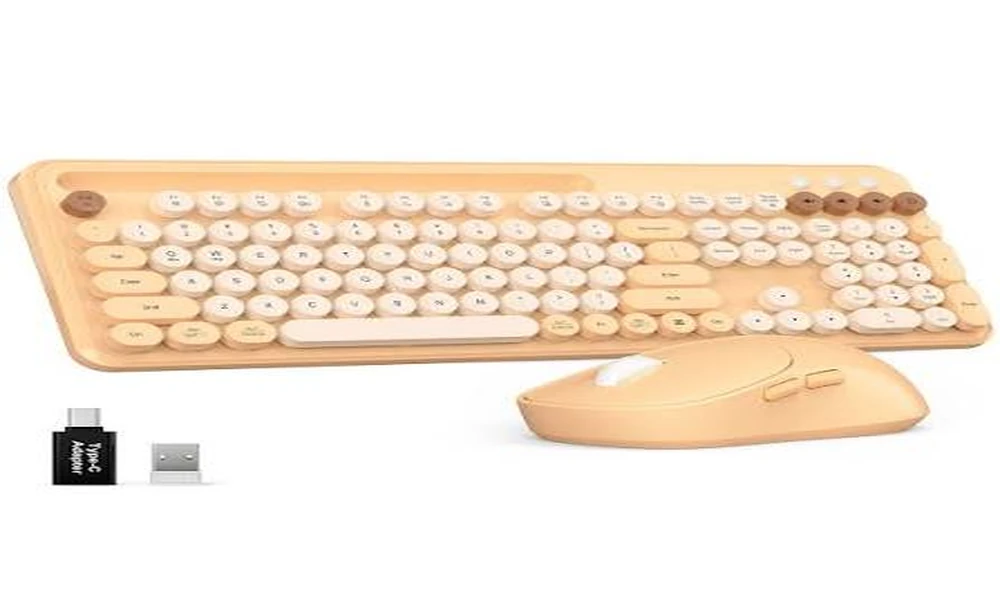
A growing number of desks are mixed environments. Someone may use a Windows work machine during the day and a Mac laptop for personal projects, or a household may share peripherals across different computers. The SABLUTE Wireless Mechanical Keyboard and Mouse Combo includes a dedicated Mac mode with switchable Windows and Mac key mapping, alongside its Windows mode. This review looks at how that dedicated Mac mode works alongside the keyboard’s full-size 104-key layout, mechanical red switches, 2.4GHz receiver, USB-C wired mode, backlighting, and matching mouse.
The same hardware, two operating-system contexts
SABLUTE approaches desk design from a different direction than the minimalist rectangular boards that dominate many office setups. Its round, typewriter-inspired keycaps and decorative rings are meant to be noticed, and the metal top panel gives the keyboard a stronger visual anchor on a desk. The important detail is that the styling sits on top of a conventional 104-key full-size arrangement rather than replacing it. Users still get the dedicated numeric keypad, full function row, arrow keys, and navigation keys. That combination matters because a keyboard can look distinctive yet still fit naturally into ordinary work. The product is therefore best understood as a style-forward everyday keyboard rather than a collector-focused custom board. It is meant to bring a retro accent into a practical workspace, whether that workspace is used for writing, spreadsheets, browsing, study, or general home-office tasks.
Switch feel remains platform-neutral even when key functions differ
Under the round keycaps, SABLUTE has chosen linear red mechanical switches. According to the supplied fact sheet, the switches have a smooth linear travel, a relatively light actuation feel, no tactile bump, and an estimated lifespan of about 50 million keystrokes. That combination suits the product’s accessible positioning. Someone who wants to move from a basic membrane keyboard into a mechanical board can get a recognizable mechanical experience without being pushed toward a highly specialized layout or feature set. The red switches are intended for common tasks such as writing, studying, spreadsheets, office work, and browsing. It is worth keeping expectations accurate: this is not marketed as a silent keyboard, nor should it be described as an enthusiast-grade or professional gaming board. The mouse has quiet primary clicks, but the keyboard itself uses standard linear mechanical switches.
A familiar 104-key structure with switchable Windows and Mac mapping
The full-size format is central to how this keyboard is meant to be used. SABLUTE includes the key groups typically expected from an office desktop keyboard: a numeric keypad, function keys, arrow cluster, navigation keys, multimedia controls, and a dedicated calculator shortcut. A multifunction knob sits alongside those controls, but it supplements rather than replaces them. This is helpful for people who do not want to rely on function layers for ordinary tasks. The trade-off, naturally, is that a 104-key keyboard occupies more desk space than a compact board, but the product does not pretend otherwise. Its target environment is a home office, study desk, or fixed workstation where productivity and familiarity are more important than portability. In that context, the complete layout makes a strong case for itself.
2.4GHz and USB-C work without turning this into a multi-device Bluetooth board
One of the quieter conveniences in the package is that both peripherals share the same 2.4GHz receiver. That means one USB dongle handles the keyboard and the mouse, simplifying installation and keeping another USB port free. A single 2.4GHz USB receiver connects both the keyboard and mouse from up to 26 ft (8 m) under suitable conditions. The keyboard adds USB-C wired operation, and it remains usable while connected for charging. This wired fallback is useful for people who do not want battery status to interrupt a work session. Buyers do need to understand the limit of the feature set: Bluetooth is not supported. The connection choices are 2.4GHz wireless and USB-C wired for the keyboard, not three separate wireless modes.
Backlighting controls live on the keyboard rather than in OS software
Backlighting is designed to be customizable without turning the keyboard into a software-dependent lighting project. The keyboard provides 17 backlighting modes, seven selectable single-color options, additional RGB effects, and up to 108 lighting combinations. Controls are available directly from the keyboard, including through the multifunction knob for lighting adjustments, so there is no claim of desktop software controlling individual keys. This distinction matters. The lighting should not be described as per-key RGB, individually addressable RGB, or software-controlled RGB. Instead, it is a set of onboard effects and color choices that can help the keyboard fit different desk themes or remain visible in lower-light conditions. Users can also turn the lighting off entirely, and the keyboard retains lighting settings for everyday convenience. That makes the feature more about ambience and usability than advanced customization.
The multifunction knob keeps common adjustments hardware-based
A dedicated control knob sits at the intersection of style and convenience. SABLUTE uses it for two main functions. When handling audio, the knob can be rotated for volume changes and pressed to mute or unmute. When switched to backlight control, it helps manage lighting settings and brightness. This is the sort of feature that tends to matter more after repeated use than it does on a specifications list. Volume is adjusted frequently during calls, videos, music, and work sessions, and a physical dial can be faster than using software controls. The knob also gives the board another modern touch that contrasts nicely with the typewriter-inspired keycaps.
Charging and sleep behavior are independent of the computer platform
Wireless keyboards are only convenient when their power management is predictable. SABLUTE addresses that with a built-in 5000mAh battery, USB-C charging, and automatic sleep behavior. The backlight turns itself off after around two minutes of inactivity, while a deeper sleep mode begins after roughly ten minutes. A keypress wakes the board. With lighting switched off, the fact sheet gives an estimate of up to about 1,000 hours of operation, depending on real usage. It is best to view that number as a favorable-condition figure because illumination, typing frequency, and wireless environment all affect battery drain. If the battery does run low, the keyboard can continue working through its USB-C cable while charging. That combination reduces the chance that wireless convenience becomes a disruption during a work session.
What the dedicated Mac mode changes
The keyboard includes a dedicated Mac mode with switchable Windows and Mac key mapping. In Mac mode, the bottom-row modifier keys are remapped as follows: Ctrl becomes Control, the Windows key becomes Option, Alt becomes Command, Right Alt becomes Command, Menu becomes Option, Right Ctrl becomes Control, and Fn remains Fn. The function row also changes for macOS-oriented shortcuts: F1/F2 decrease and increase screen brightness; F3 lists running applications; F4 opens Search; F5 activates the voice assistant; F6 takes a screenshot; F7/F8/F9 control previous track, play/pause and next track; and F10/F11/F12 are assigned to Copy, Paste and Select All. The dedicated calculator key is not available on macOS.
The mouse keeps the cross-platform setup simple
The mouse completes the package without trying to compete for attention with the keyboard. It is a six-button wireless model with browser-style forward and backward controls, quiet primary clicks, and four DPI steps ranging from 800 to 2400. Most importantly, it shares the keyboard’s 2.4GHz receiver. A user can therefore connect the entire set with one dongle. The mouse is designed for everyday productivity and web browsing, and that is the right expectation. It helps turn the product from a standalone aesthetic keyboard into a coordinated input set for a full desk setup. Taken together, the shared receiver and matching mouse make this a wireless keyboard and mouse combo that can serve common Windows and Mac desks without changing the basic connection method.
How the Mac function row differs from Apple’s standard function row
The Mac function row is designed for macOS, but it is not identical to the standard Apple function row. The most important difference is at F10-F12: SABLUTE assigns those keys to Copy, Paste and Select All rather than Apple’s usual audio controls. That distinction simply means SABLUTE uses its own macOS-oriented shortcut map rather than copying Apple’s standard function row exactly. The dedicated Mac mode still remaps the bottom-row modifier keys into the familiar Control, Option and Command arrangement and provides system, media and productivity shortcuts across F1-F12.
Compatibility claims that should be read carefully
A balanced review also needs to be explicit about the features that are not part of this product. The keyboard does not support Bluetooth and should not be described as tri-mode. The supplied specifications do not include hot-swappable switches, a gasket mount, PBT keycaps, per-key or individually addressable RGB, software-controlled RGB, Hall Effect or magnetic switches, Rapid Trigger, adjustable actuation, ultra-low-latency gaming claims. It is also not positioned as a professional gaming, premium enthusiast, custom, silent, or ergonomic keyboard. These are not small wording details: they define the category in which the SABLUTE combo should be judged. Buyers who require one of those specialist features should choose a product designed specifically around that need. Buyers who do not need them can focus instead on the SABLUTE’s actual strengths: full-size productivity, accessible mechanical switches, distinctive styling, simple wireless setup, rechargeable power, onboard lighting, and the convenience of a matching mouse.
A practical fit for mixed Windows-Mac desks
SABLUTE is a practical fit for users who work across Windows and macOS because the keyboard includes dedicated Windows and Mac modes with switchable key mapping. In Mac mode, the modifier keys are remapped to the familiar Control, Option and Command arrangement, and the function row provides macOS-oriented system, media and productivity shortcuts. The Mac function row is intentionally different from Apple’s standard row at F10-F12, which are assigned to Copy, Paste and Select All, and the dedicated calculator key is not available on macOS. The rest of the package – mechanical switches, full-size controls, one-receiver wireless setup, rechargeable battery, backlighting, and included mouse – remains consistent across either operating system.
For mixed Windows and macOS desks, a wireless mechanical keyboard with a shared 2.4GHz receiver and USB-C wired fallback can be convenient, and SABLUTE adds a dedicated Mac mode with switchable Windows and Mac key mapping rather than limiting Mac users to basic input.